The farmer console
On this page 6
Signed-in farmers get /dashboard, plus three sub-pages. Everything is
server-rendered stx with plain HTML forms, and every write answers with a 303
back to the page it came from.
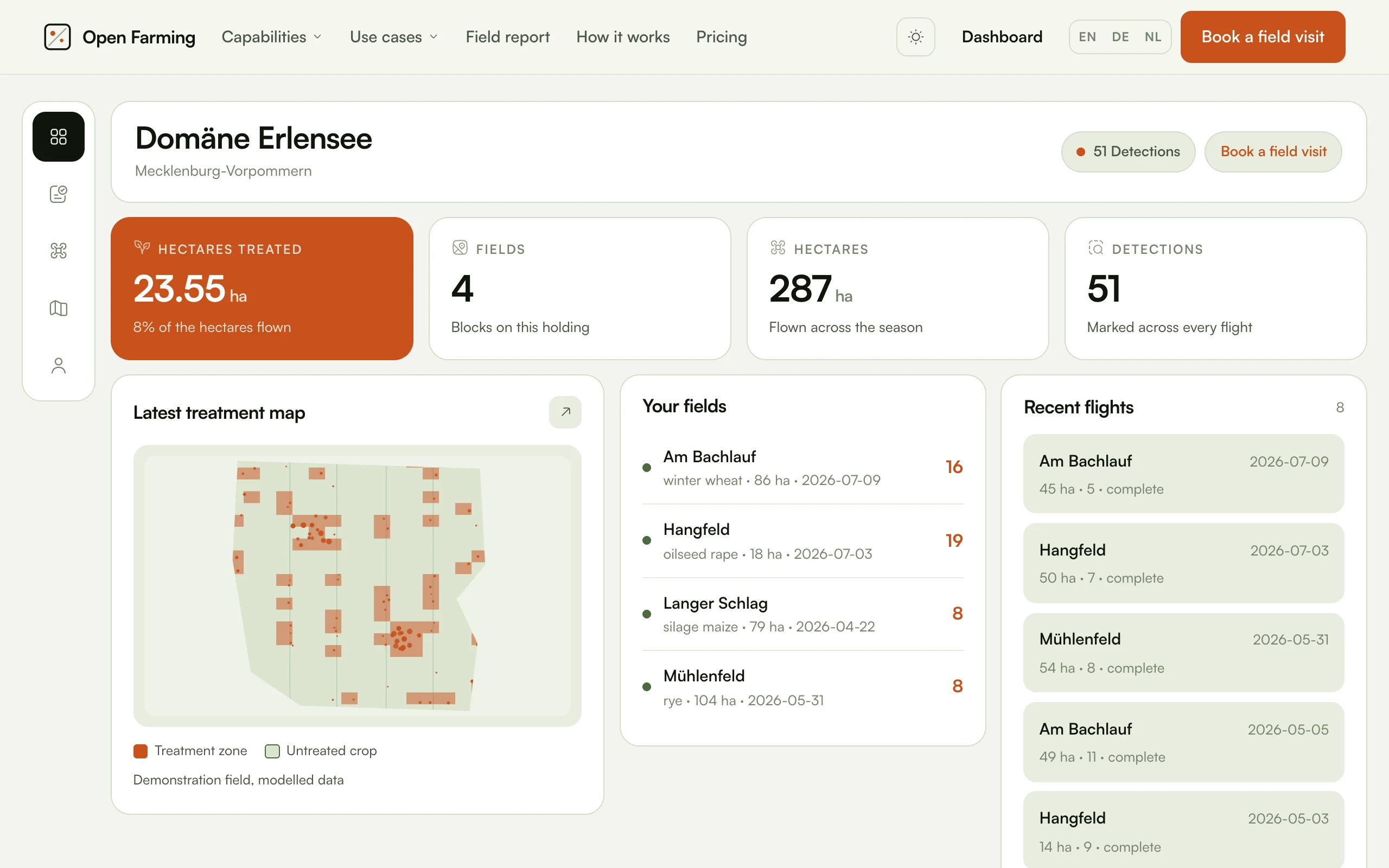
The four figures are derived from the holding's own records. The map beside them is the demonstration field rather than theirs, which is why it carries "Demonstration field, modelled data" under the legend.
| Page | Shows |
|---|---|
/dashboard | The holding: fields, hectares, detections, treated hectares, recent and upcoming flights |
/dashboard/capabilities | All 18 marketed capabilities and what this holding has done about each |
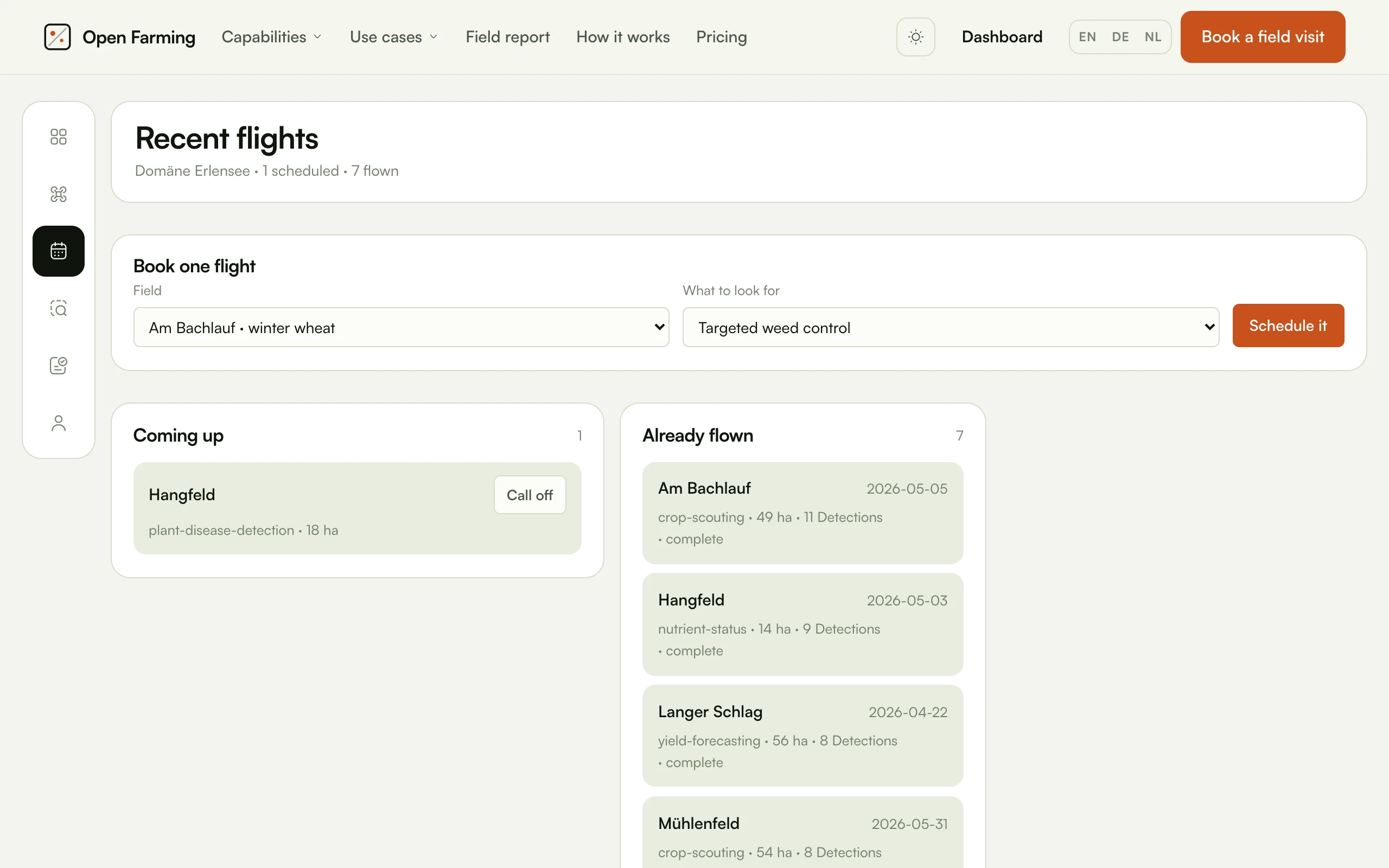
/dashboard/flights | The flight log and the schedule, with a form to book one outside the cadence |
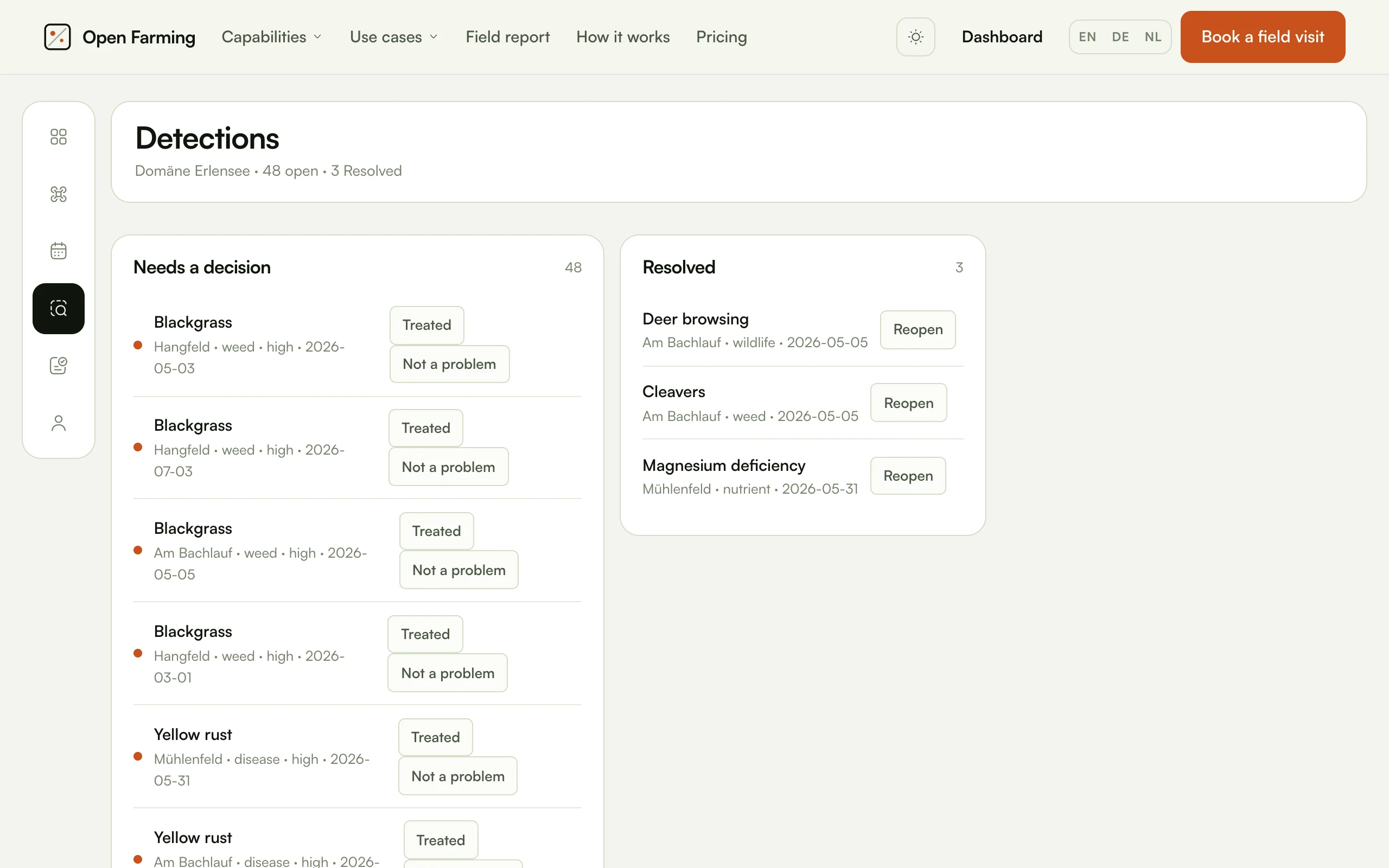
/dashboard/detections | Findings, with resolve and reopen |
Capabilities
app/Support/capabilities.ts is the bridge between what the site sells and
what a farmer can switch on. It builds the list from the catalog, then
folds in the holding's own rows. A capability with no row is off: offered,
not yet taken.
That ordering matters. Every capability on the marketing pages appears in the console whether or not the farm has turned it on, so the dashboard can never quietly offer less than the site advertises. That is also why the header can say "4 of 18" without a second source of truth.
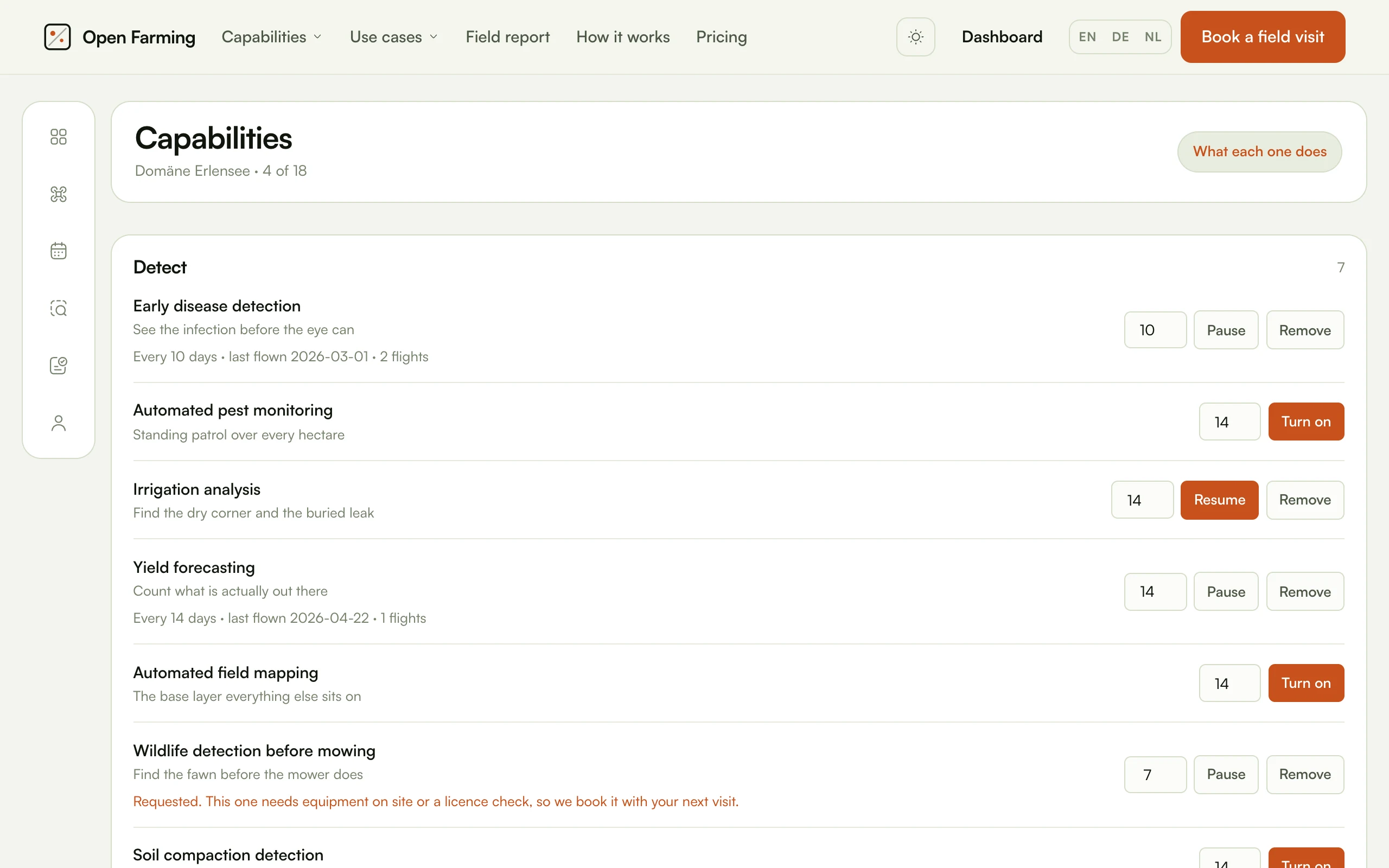
All four states in one view. An active capability shows its cadence, its last flight and its flight count; an unused one shows a cadence box and Turn on; a paused one shows Resume; and a requested one explains itself.
| Status | Meaning |
|---|---|
active | Running on the stated cadence. The scheduler plans flights for it |
paused | Configured but not being scheduled |
requested | Asked for, waiting on a visit. Never scheduled |
off | No row exists. The default for everything |
nextDue() returns lastFlown + cadenceDays, and returns empty when the
capability is not active or nothing has been flown yet. The first flight is
scheduled by the visit, not by the cadence.
Capabilities that need a visit
Five capabilities cannot simply be switched on. Turning one on records a request rather than promising a flight the schedule cannot keep.
| Capability | Why |
|---|---|
| Drone seeding | Needs a hopper aircraft on site |
| Frost protection | Needs equipment on site and a site profile flown first |
| Pollination support | Needs indoor aircraft and a house survey |
| Wildlife detection before mowing | Needs a licence check before a first flight |
| Livestock and fence checks | Needs a licence check and a route survey |
requiresVisit(slug) is the predicate. ScheduleCapabilityFlights skips
requested rows entirely.
The four writes
All four re-derive the holding from the signed-in farmer and ignore any farm the request names. That is what keeps one customer's console off another's data.
| Route | Does | Rate limit |
|---|---|---|
POST /dashboard/capability | Enable, pause or switch off a capability, set its cadence and optional field scope | 60/min |
POST /dashboard/flight | Put one flight on the schedule outside the cadence | 30/min |
POST /dashboard/flight-cancel | Cancel a scheduled flight, which sets weather_cancelled | 30/min |
POST /dashboard/detection | Mark a detection treated, or reopen it | 120/min |
Each one validates against the catalog rather than the database: a flight can
only be booked for a purpose that exists in features.ts, and a capability
can only be written for a slug that exists there too. A form that offered only
what had been synced would silently shrink if a sync had not run, which is why
capabilityOptions() reads the content module directly.
Cancelling only ever touches a flight that is currently scheduled and belongs
to the caller's holding. Booking checks for an existing scheduled flight for
the same field and purpose first, and redirects with ?ok=already rather than
creating a duplicate.
Redirect flags
The console has no client-side state, so the result of a write comes back in the query string.
| Flag | Meaning |
|---|---|
?ok=… | The write succeeded. off, already, cancelled, treated, reopen |
?e=noholding | The account has no farm yet |
?e=unknown | The slug or id was not in the catalog |
?e=notfound | The row exists but not on this holding, or not in a state the action applies to |
?e=field | The named field does not belong to this holding |
?e=notfound deliberately covers both "does not exist" and "is not yours".
Distinguishing them would tell a caller whether an id exists on somebody else's
holding.
The demonstration farm never appears here
catalog:sync publishes Hofgut Lindenbach with user_id null, and
farmFor(userId) only ever returns a farm whose user_id matches. The worked
example behind the public field report is therefore reachable from no
dashboard.
To get a console with data in it locally, see Quickstart.
Resilience
Every query in dashboard.ts and capabilities.ts is wrapped in safely(),
which returns a fallback rather than throwing. One unmigrated table must not
take the whole page down.